
Drawer
A drawer slides in from the edge of the screen with detail, a form, filters or a menu, and the page stays where people left it.
- Also called
- side sheet, off-canvas
- Platforms
- Web, Mobile
- In the gallery
- 50 web and 210 mobile designs


Drawers from the Kombai gallery: a marketplace seller console's order detail, a fast-food app's account menu and a personal finance tracker's dashboard settings.
What is a drawer?
A drawer is a panel that slides in from an edge of the screen, usually the right or the left, and sits over the page. It holds detail, a form, filters or a menu while the page behind stays in place. Closing it slides it back out, and people are where they were.
- Modal drawers dim the page behind a scrim. Standard drawers sit beside the content and leave it usable.
- On phones, many drawers rise from the bottom edge instead, the same way a bottom sheet does.
Drawers show up across cart, checkout, project tracker and dashboard screens.
When to use a drawer
- Detail without leaving a listOpen an order, a task or a file next to the list it came from.
- Filters and settingsMany options that would crowd the page and apply together.
- Menus on small screensAccount links and app sections that stay hidden until needed.
When not to use one
- A single decisionFor one yes or no question, use a dialog.
- The main contentIf people need it to finish the task, keep it on the page.
- Navigation on large screensShow side navigation that stays open instead.
Anatomy of a drawer
This one works. Press Filters to open it, pick a few options and press Escape or tap outside to close it.
Recipes
8 recipes
- Miso mushroom ramen25 min
- Lemon ricotta pancakes20 min
- Chicken tikka traybake45 min
- Coconut chia pudding10 min
- Brown butter blondies40 min
- Black bean tacos20 min
Filters
- Closed
- Open
- Keyboard focus
- Filters applied
- ScrimDims the page, closes on tap
- PanelSlides in from the edge
- HeaderTitle and close button
- BodyScrolls on its own
- FooterPinned actions
- StatesClosed, open, focus, applied
Drawer variants
We sorted every drawer design in the Kombai gallery and found six patterns. Browse all 50 web and 210 mobile designs.
1. Detail drawers
A record opens beside the list it came from, so people can read or edit it and close back to their place.


2. Form drawers
Create and edit forms, with the save button pinned to the bottom of the panel.


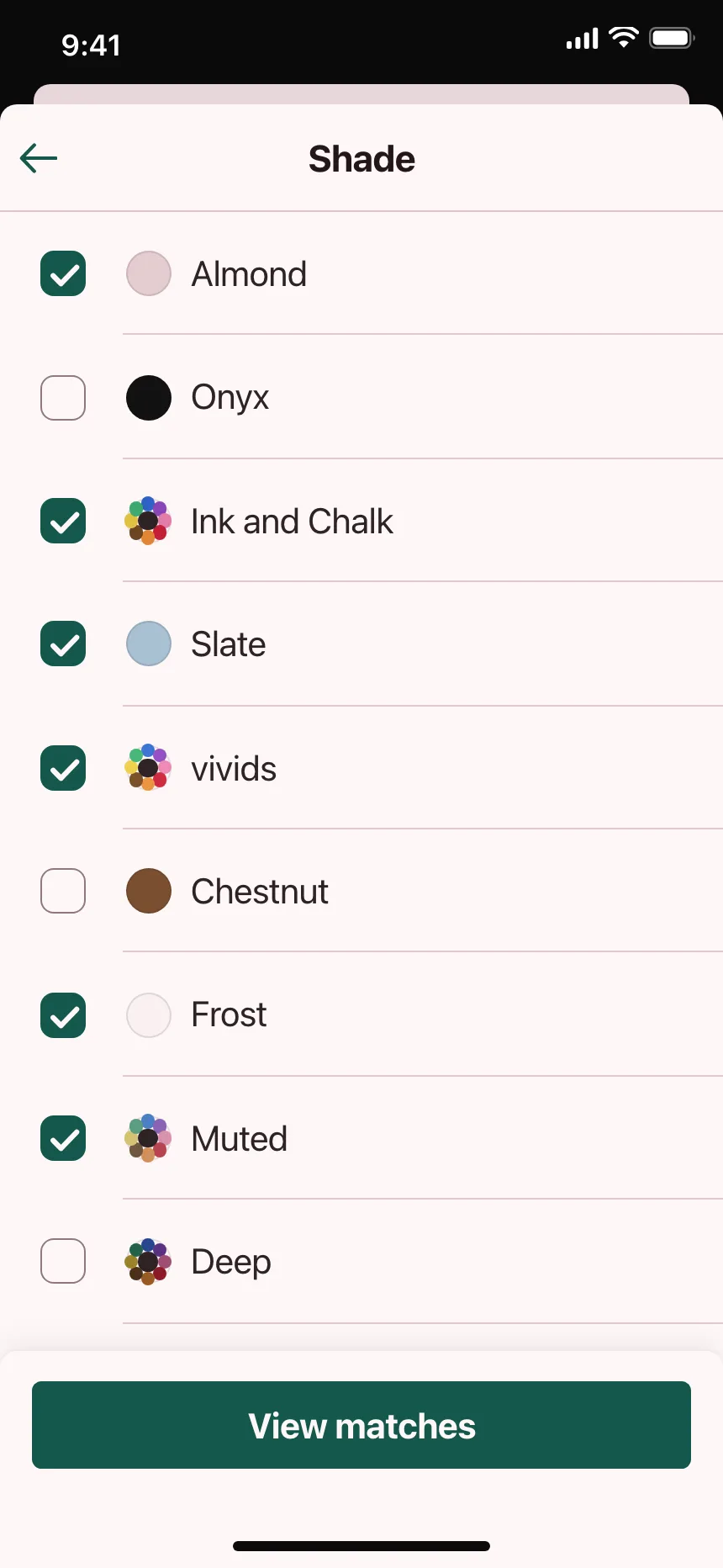
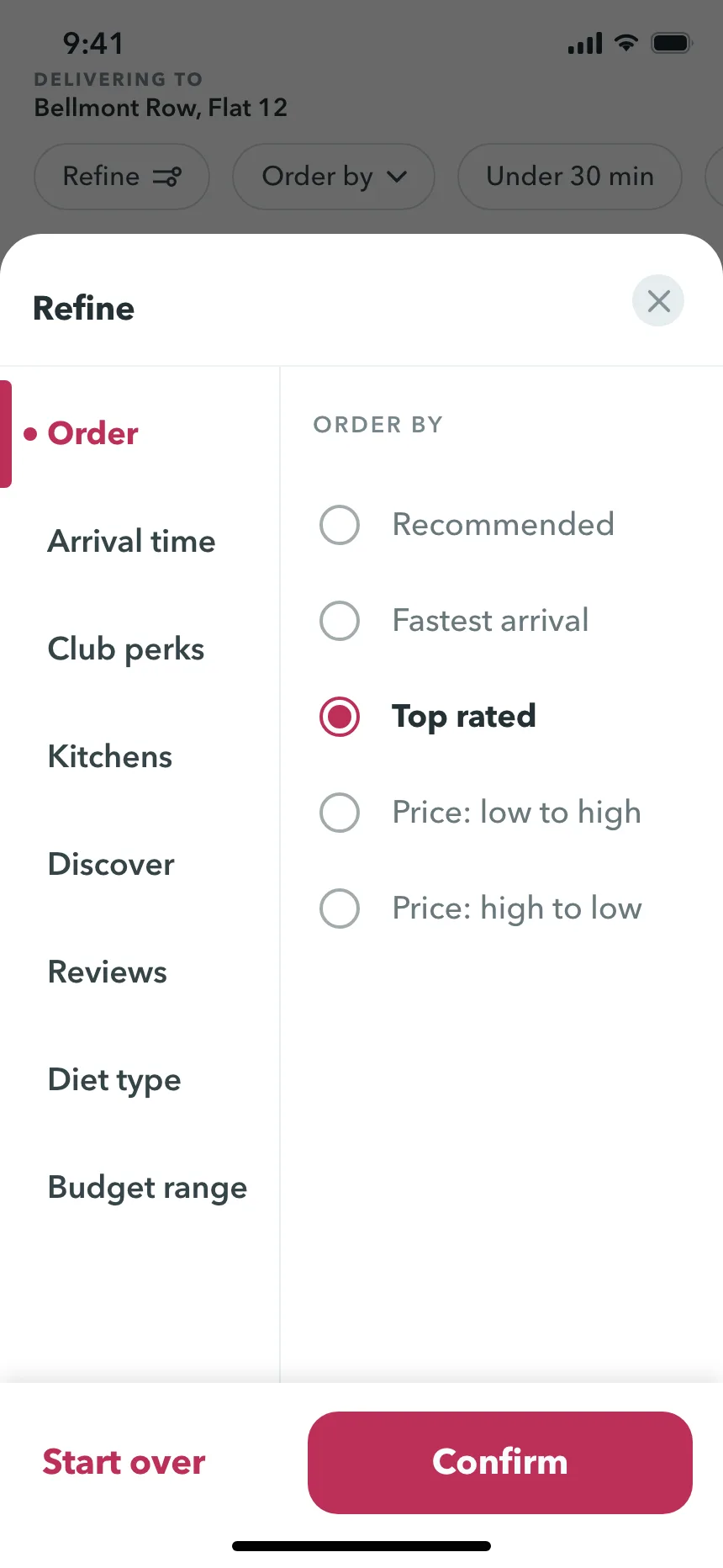
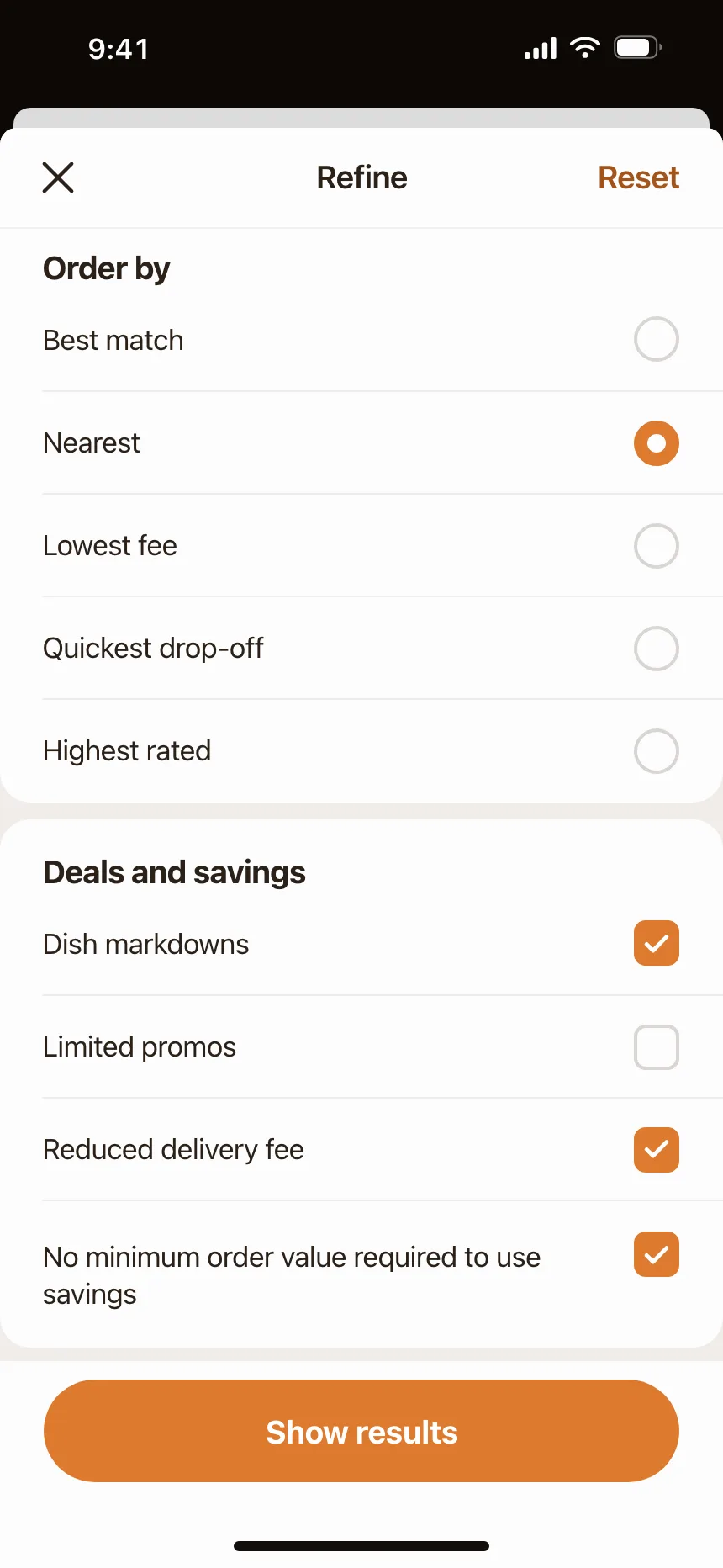
3. Filter and view drawers
Filters, sorting and view options grouped in one panel, applied together with one button.


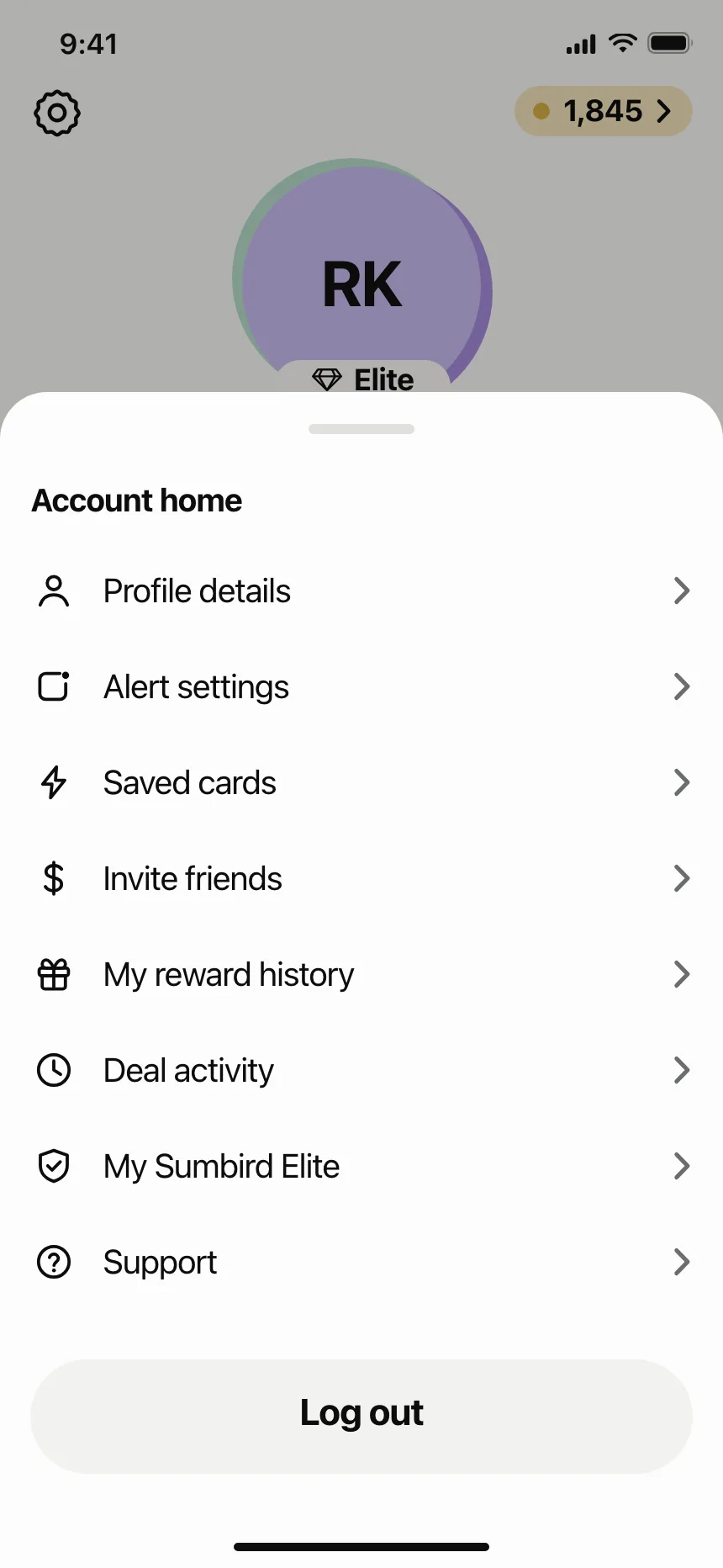
4. Menu drawers
Account links and app sections in a panel that slides in from the left or right, mostly on phones.


5. Bottom drawers
On phones, most designs filed as drawers rise from the bottom edge and hold a list of choices or settings.
6. Top drawers
Search panels, sort menus and quick settings that drop down from the top edge over the page.


Where drawers show up
Carts and bags
The cart opens from the right with quantities, a free delivery bar and a checkout button.


Assistants and help
Chat assistants, past conversations and help guides that open beside the work instead of replacing it.


Rooms and activity
Channel details, members and notifications that slide over a chat or a feed.


Editors and builders
Insert panels, design settings and chart options docked beside the canvas they change.


Drawer vs similar components
Build notes
- A modal drawer is a dialog: role="dialog", aria-modal="true" and aria-labelledby pointing at its title.
- Move focus into the drawer on open, keep Tab inside it and close it on Escape.
- On close, return focus to the button that opened it.
- Give a modal drawer a scrim, and let a tap on the scrim close it.
- A standard drawer sits beside the content with no scrim, so people can use both at once.
- Pin the header and the footer actions, and let only the body scroll.
FAQ
What's the difference between a drawer and side navigation?
Side navigation stays on screen next to the content. A navigation drawer holds the same links but stays hidden until people open it, which suits phones where there is no room to keep it open.
Should a drawer open from the left or the right?
Detail, form, filter and cart drawers usually open from the right, the end edge. Menu drawers open from either side. Set the edge as start or end rather than left or right, so it flips for right-to-left languages.
Drawer or bottom sheet on mobile?
A bottom sheet suits short choices and can be dragged down to close. A side drawer suits menus and long, full-height lists. Most phone designs in the gallery that are called drawers are bottom sheets.
Should a drawer close when people click outside it?
A modal drawer should: a tap on the scrim closes it. If it holds a form with unsaved changes, ask before throwing them away. A standard drawer has no scrim and stays open while people work beside it.
Related terms
All glossary terms · Browse 50 web and 210 mobile drawer designs